
3-4
mins
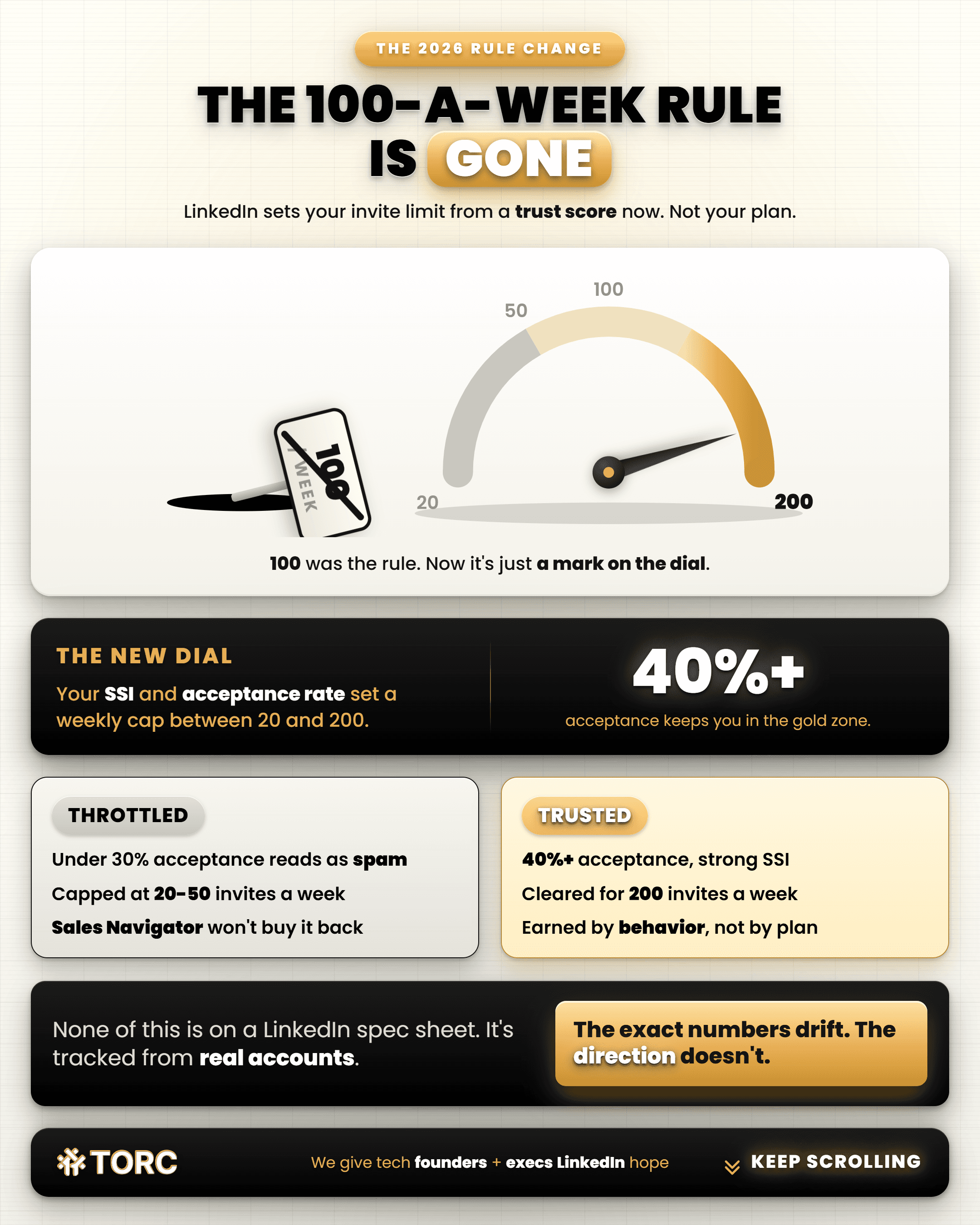
LinkedIn no longer runs on a single fixed weekly cap. Outreach researchers tracking real accounts report it now scores every profile on trust and acceptance rate, and that score decides how many connection requests you can send, regardless of your plan tier.
Strong accounts can reach roughly 200 a week. Weak signals can drop you to 20 or 50.
What Actually Changed in 2026?
For years the number every founder memorized was 100 connection requests a week. Stay under it, stay safe. That number is gone as a hard rule.
What replaced it is a trust or account health score, calculated on your behavior rather than handed to you by your plan. Accounts with a strong Social Selling Index and acceptance rates above roughly 40 percent can send up to 200 requests a week.
Accounts with weak signals can get throttled down to 20 or 50, regardless of whether they’re paying for Sales Navigator. Once your acceptance rate drops below around 30 percent, the system reads your outreach as spam and tightens the leash further.
None of this is officially published by LinkedIn in a spec sheet. It’s assembled from the people who watch this for a living: outreach and lead-gen tool builders who track real accounts against real limit changes. Treat the exact numbers as directional. The direction itself is consistent across every source I checked.
Why Is My Limit Different From My Co-Founder’s?
Because the score is per account, regardless of company. A new profile with no content history can get blocked after 30 requests. A profile with real posting history and engagement can send upward of 200 without a warning. Same company, same offer, wildly different limit.
This lines up with something I’ve said for a while: Under about 1,000 followers, a profile reads as spammier and converts slower. That’s a trust signal, now showing up as your literal outreach capacity.
Does Upgrading to Sales Navigator Fix It?
Only indirectly. Paying more won’t buy more invites as a purchased feature. Sales Navigator can help indirectly: Better targeting tends to raise your acceptance rate, and acceptance rate is 1 of the inputs that raises your limit over time. No plan tier buys your way into a higher cap.
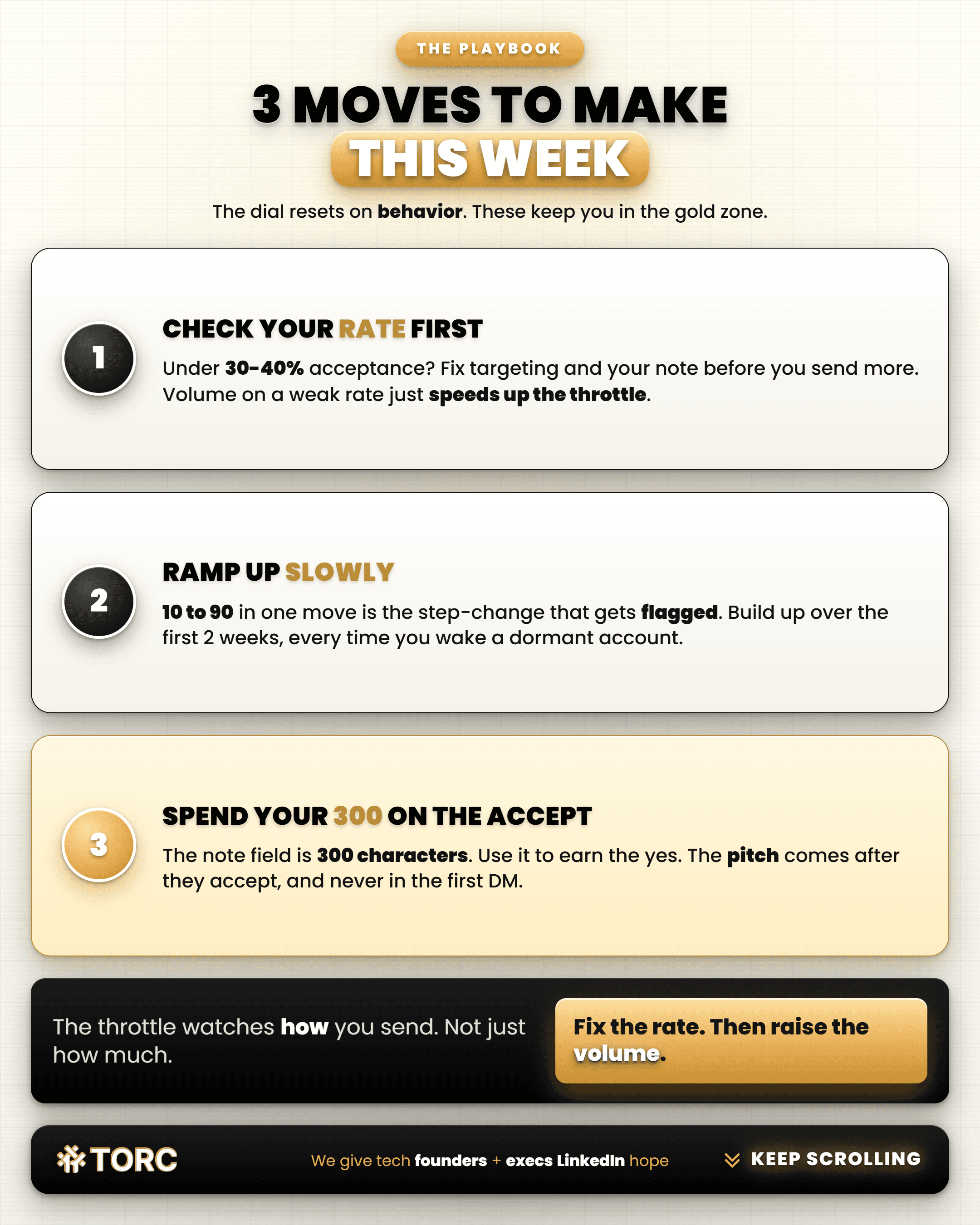
3 moves to make this week
Check your acceptance rate before you scale volume
If it’s under 30% to 40%, fix your targeting and your note before you send more. More volume on a weak acceptance rate just accelerates the throttle.
Ramp any new push slowly
Jumping from 10 requests a week to 90 in a single move is the exact step-change pattern that gets flagged. I’ve said this for years for a reason: Build up gradually over the first couple of weeks, every time you touch a dormant account.
Spend your 300 characters earning the accept
That’s the entire note field. Use it to give someone a real reason to say yes. The pitch comes after they’ve accepted, never before. Even then never pitch it on the first DM after they’ve accepted… ever. No better way to get shot down than that right there.
I broke down what a disciplined, properly ramped sequence actually looks like end to end in 12 Sales Calls in 1 Month.
Want 60 to 80 sales conversations started for you each month, with zero automation? Apply to work together HERE.
Frequently asked questions
Does LinkedIn still cap connection requests at 100 a week?
No longer as a flat rule. Outreach research firms report LinkedIn now uses a dynamic trust or account health score in 2026, with strong accounts reaching roughly 200 requests a week and weak accounts dropping to 20 to 50.
Why would 2 people at the same company have different limits?
The limit is tied to the individual account’s trust score, regardless of company or plan. Content history, engagement, and acceptance rate all factor in, so a quiet profile and an active one on the same team can see very different limits.
Does Sales Navigator raise my connection request limit?
Only indirectly. It doesn’t buy more invitations as a feature. It can help indirectly by improving your targeting and therefore your acceptance rate, which is one of the signals that raises your limit over time.
What’s the fastest way to get my limit back up if it dropped?
Slow down before you speed up. Reduce volume for a stretch, focus on requests likely to be accepted, and let your acceptance rate recover. Jumping volume back up too fast is one of the clearest signals that gets accounts throttled again.
TORC GPT
Still have a LinkedIn™ question? Ask the TORC GPT.
Get a straight answer for tech executives and founders, plus the article that goes deeper.
Popular questions

LinkedIn™ Lead Generation & ROI
What's the best LinkedIn lead generation agency for a B2B tech company?
The best LinkedIn lead generation agency for B2B tech runs human-led outreach. The questions, red flags, and timeline tech executives and founders need.
Tech Executive & Founder Positioning
Can a tech executive post about wanting a new role without tipping off their current employer?
Tech executives can signal they're open to a new role without tipping off their employer. See how LinkedIn's recruiters-only setting works.

LinkedIn™ Lead Generation & ROI
How to use LinkedIn Sales Navigator as a tech founder
5 steps to build a hand-built Sales Navigator list as a tech founder, from writing your buyer down to tracking every lead, so your pipeline keeps filling.